How to Batch Print PDF Files
Quick answer:
- Dozens of PDFs in order, two-sided or with page ranges: Batch Print Software sends the queue to the printer without opening a file
- A short stack of PDFs (15 at most): highlight them in Explorer and use the context-menu Print command, which Windows 11 hides behind Show more options
- Acrobat Pro already on the PC: build a Print action in Action Wizard and run it on the folder
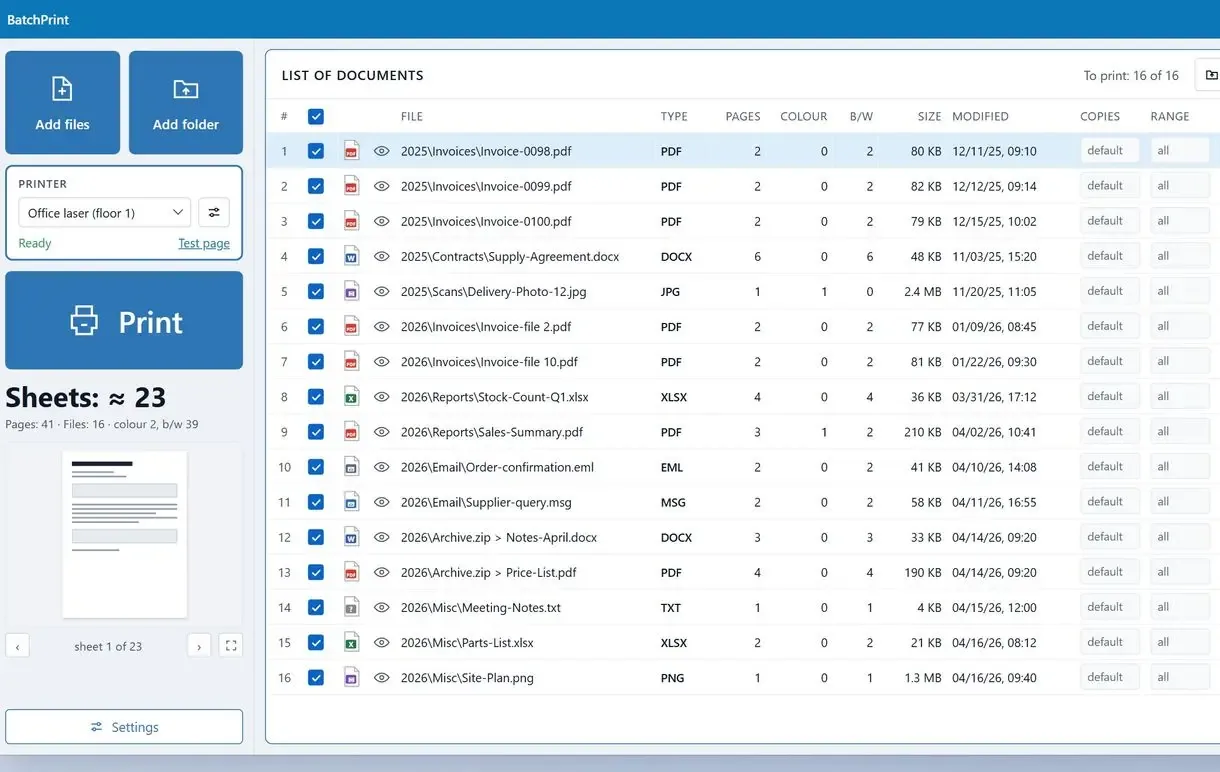
In this guide
- Dozens of PDFs in a set order: a print queue with per-file settings
- Steps from the first queued file to the print report
- Up to 15 PDFs of one type: right-click Print in File Explorer
- Already paying for Acrobat Pro: a Print action in Action Wizard
What you need
- Batch Print Software on a Windows PC
- The PDFs in one folder (subfolders and ZIP archives can go in too)
- A printer, ideally one with two-sided printing
- About 10 minutes for the first run
How do you print a folder of PDFs without opening each one?
Batch Print Software puts single files and whole folders in one queue. Its own PDF engine prints without opening a reader window, in the order of the rows.
File Explorer or a PDF reader
- Files print by name or date
- The same print options for the whole stack
- No list of what printed and what failed
The program's queue
- Rows print in the order you arrange them
- Print settings for the whole batch, with changes on any single file
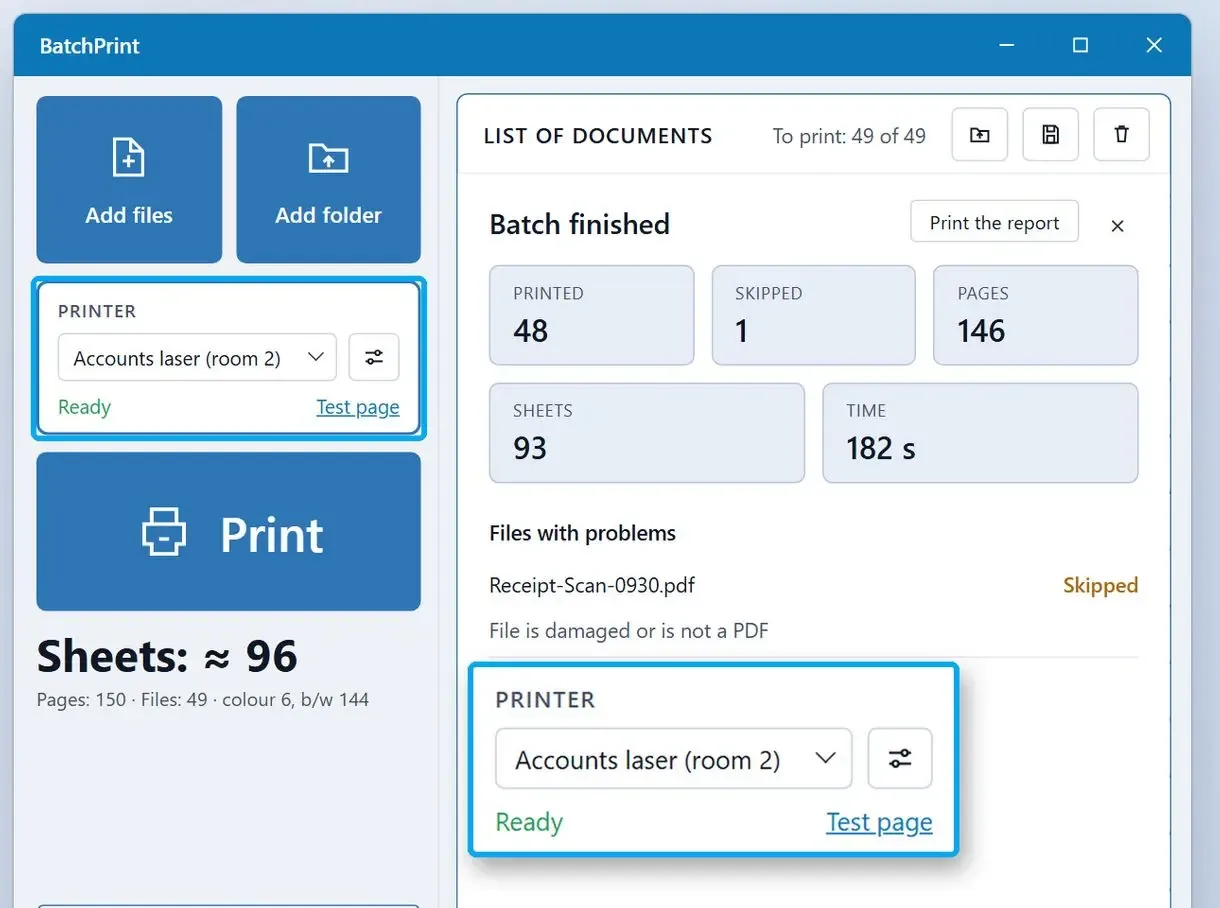
- A report shows printed, skipped and failed files with the reason
PDFium draws the PDF pages and sends them straight to the printer driver, so you can batch print PDF files without Acrobat or another reader installed.
The footer's sheet count tells you whether to refill the tray before printing. If a stack of 40 invoices comes out one short, check the report.
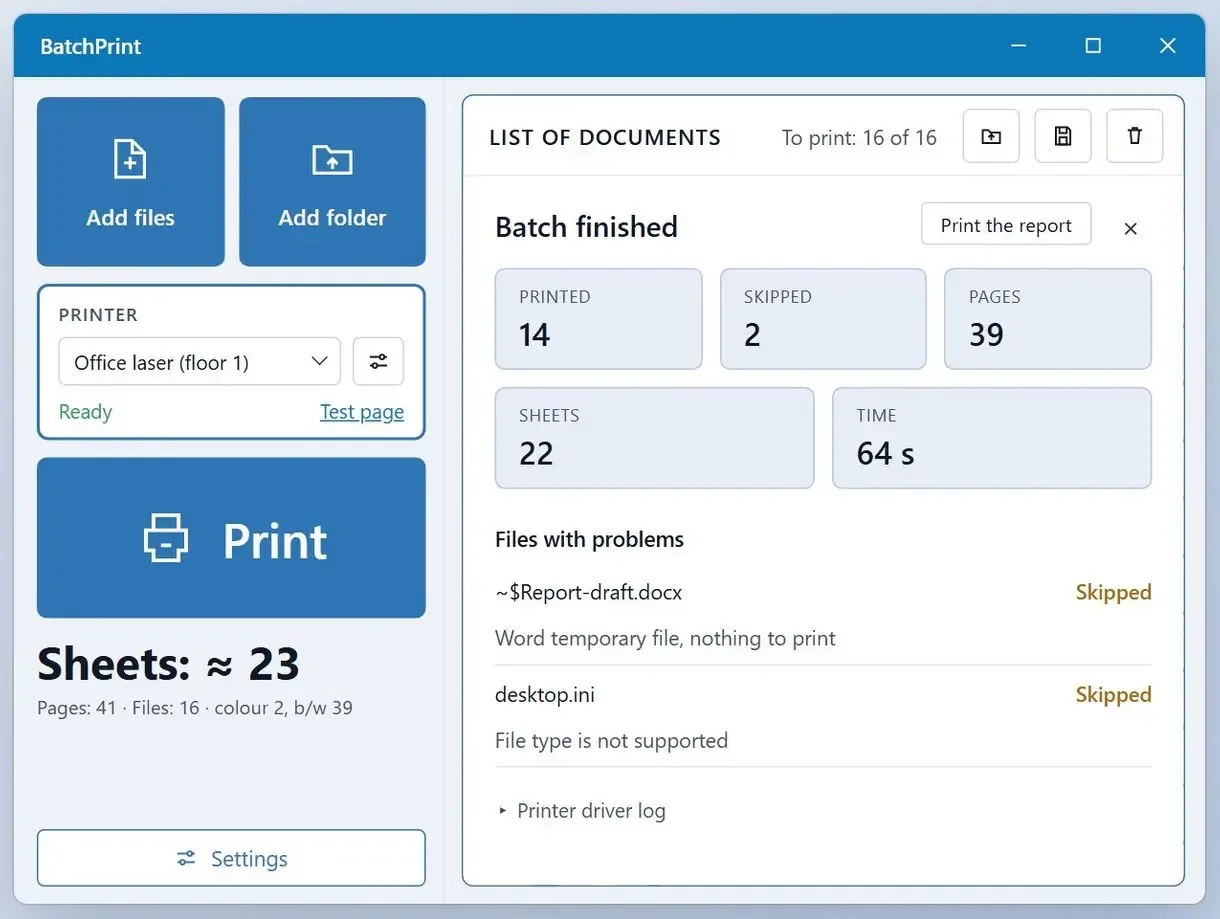
How to batch print PDF files: start a batch in Batch Print Software
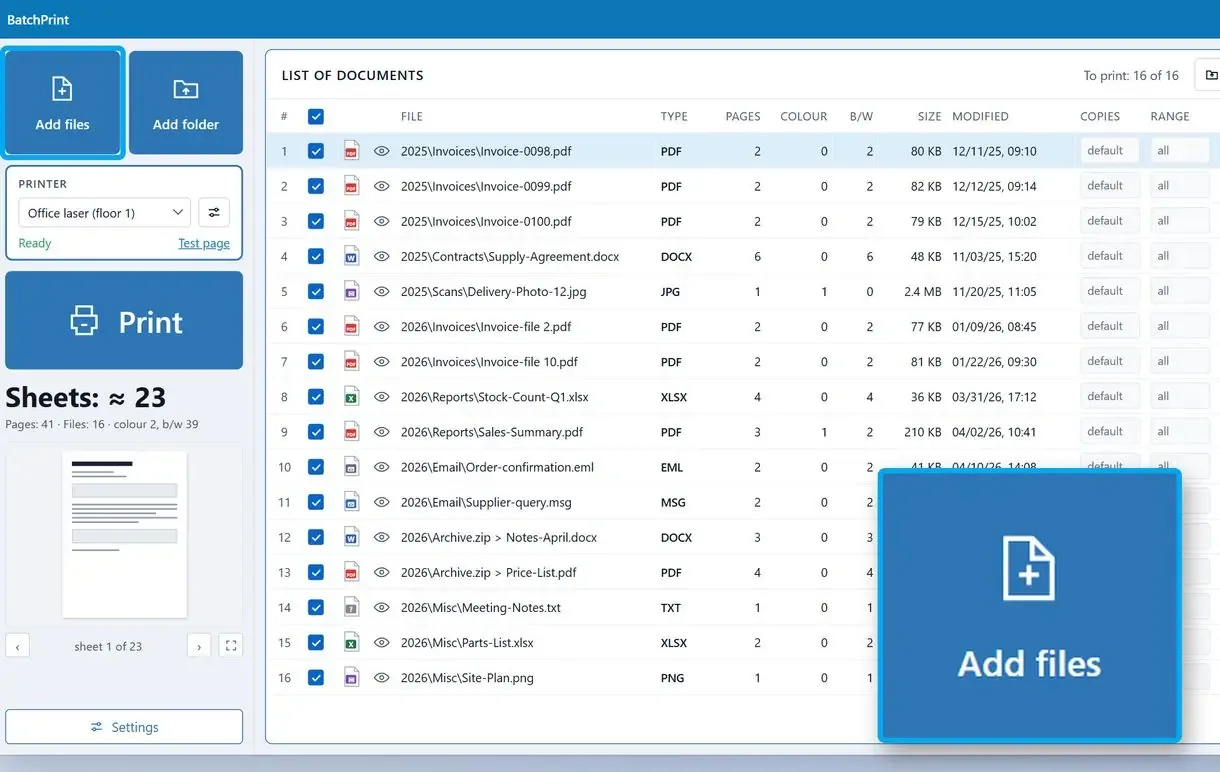
Put the PDFs, or the folder that holds them, in the queue
Drag files or a folder into the program window. Each file becomes a row in the list, including files inside a ZIP archive.
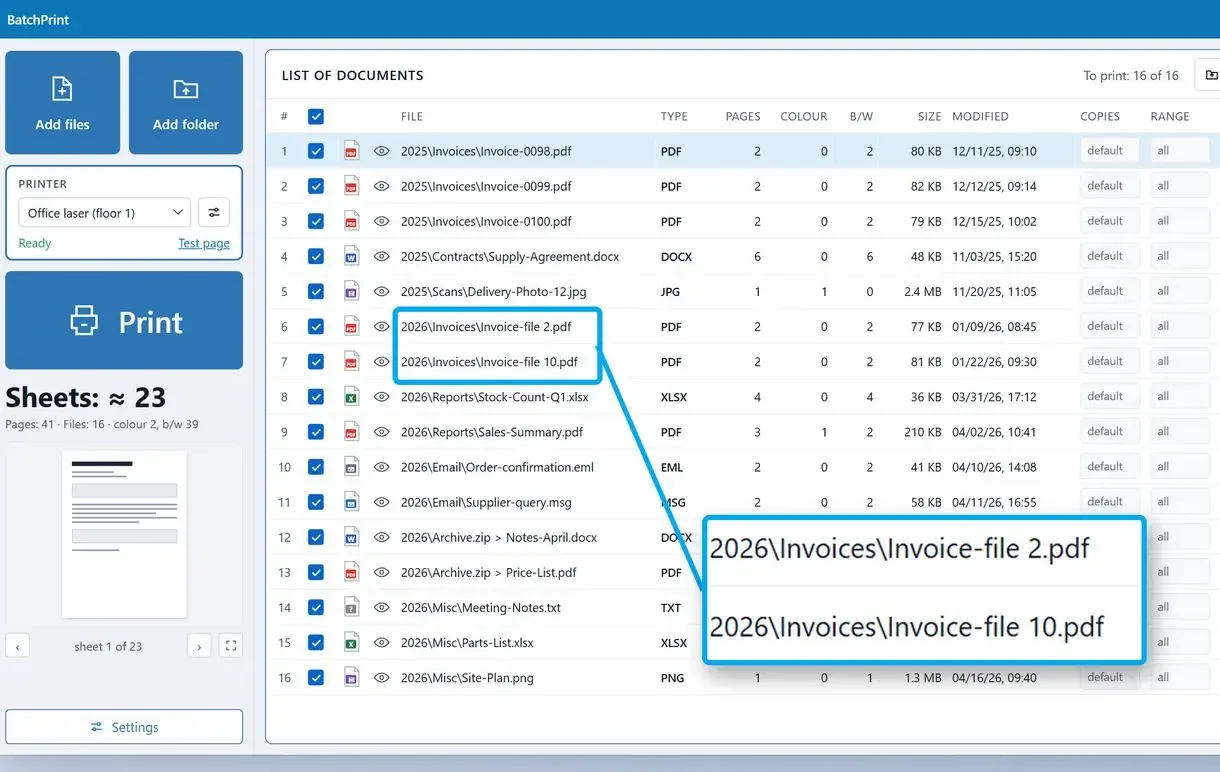
Put the files in the order they should come out of the printer
Drag rows up or down. The program prints from the top row down.
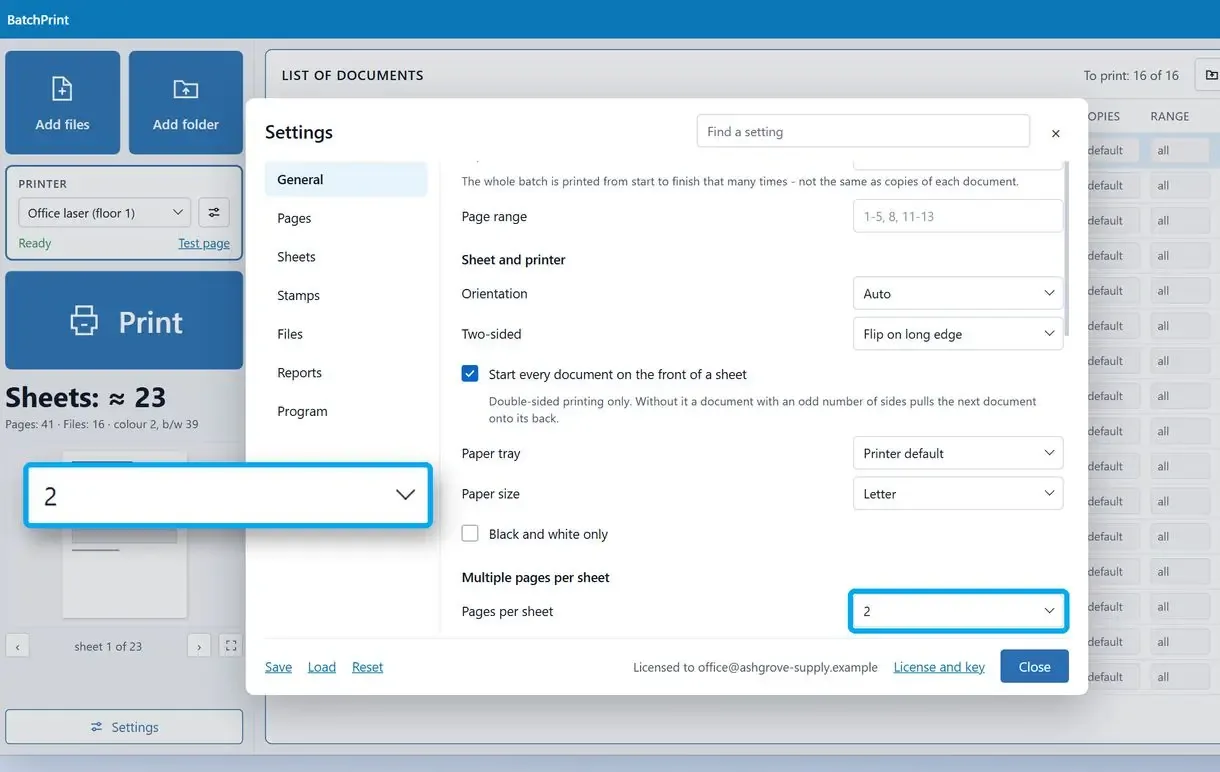
Pick the printer and the batch settings
Pick the printer and set copies and two-sided printing for the queue. Change an individual row if that file needs another tray or black-and-white output.
Check the sheet count, print and read the report
Check the footer's sheet count and start printing. Open the report when the run ends to see which files printed and why any were skipped.
Can File Explorer print every PDF in a folder?
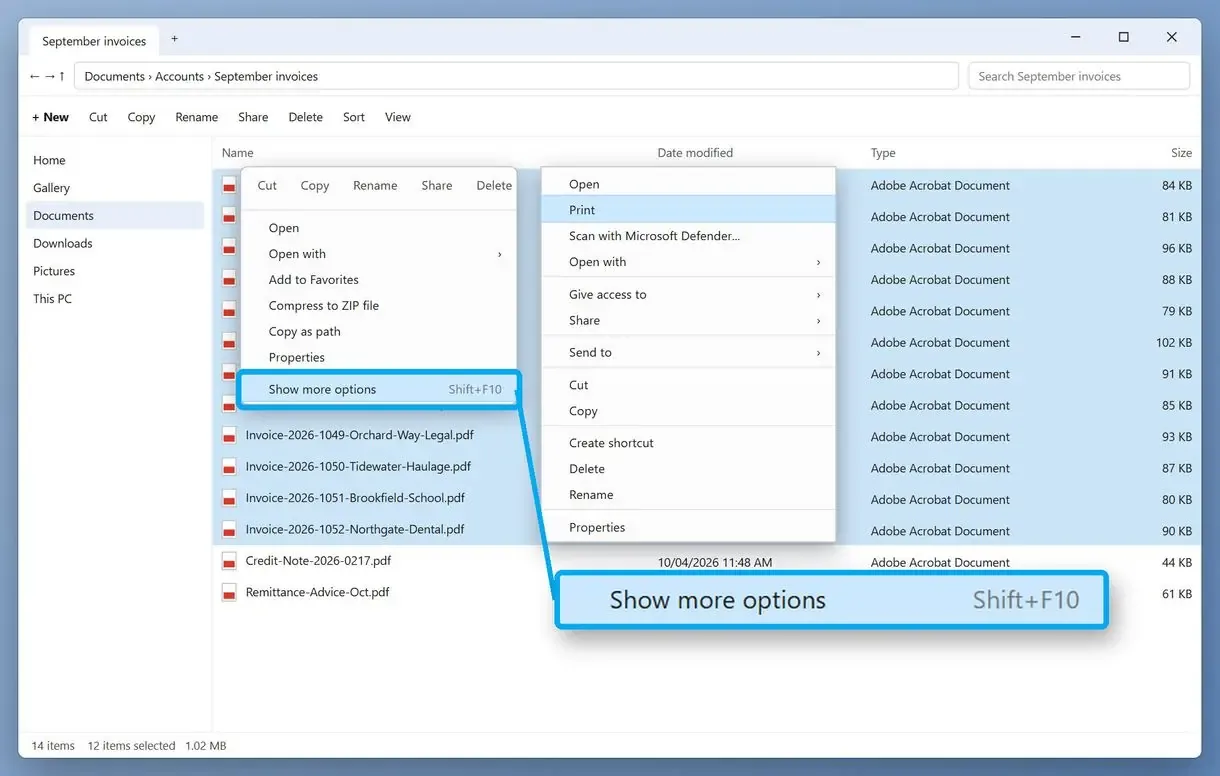
Explorer handles 15 PDFs per selection: highlight them, open the context menu and click Print (Windows 11 tucks it under Show more options). The app that owns .pdf files then prints them one by one with its own settings.
- Open the folder and sort by Name or Date modified to get the order you need.
- Select PDFs with Ctrl+click, or press Ctrl+A to select all.
- Right-click the selection. In Windows 11, click Show more options or press Shift+F10.
- Click Print. Files go to the default printer. Some PDF apps open a window for each file.
The cap dates to Windows 7, when Print also required every selected file to have the same type. You cannot give individual files different page ranges or duplex settings, and you get no confirmation that every file reached the printer.
Why does the context menu lose its Print command for PDFs?
The app registered for .pdf files supplies the Print entry. If your default PDF app supplies no print command, PDFs have no entry even when Word files beside them do.
Microsoft's documentation on file association verbs explains how apps add commands such as open and print to the right-click menu. Windows 10 and 11 users report missing Print entries for PDFs; some Windows 11 users say they now open every document to print it. Setting a desktop PDF reader as the default in Settings > Apps > Default apps can restore the entry.
People also try dragging PDFs onto the printer's queue window. They report errors or only the first two files printing. Treat this as a quick test at best.
How to batch print in Adobe Acrobat with Action Wizard?
In Acrobat Pro, create an action in Action Wizard with a Print step and run it on a folder. Acrobat opens and prints one file at a time, keeping the PC busy until the batch finishes.
Acrobat 9 included a ready-made batch sequence for printing. In current versions, build an action around the Print command in Action Wizard, point it at a folder and save it.
If you leave the Print step set to prompt, you must click Print in a dialog for every PDF. A former Adobe engineer described how Acrobat opens each file and turns it into a print stream before starting the next. Each file opens in its own window.
The free Acrobat Reader has no Action Wizard. For a one-off stack of three files, opening them and pressing Ctrl+P is quicker than building an action.
How do I keep batch-printed PDFs in the right order?
Number file names with a leading zero (01, 02 ... 10) so a name sort keeps your order, or arrange a print queue by hand. Other people's jobs can still land between your files on a shared office printer.
Many PDF readers and print tools sort file names as plain text; File Explorer sorts numbers by value. A text sort puts 10_contract.pdf before 2_contract.pdf. Rename 2 to 02 and follow the same pattern for every name to get the same order in every program.
The Windows print spooler handles local and network jobs in the same printer queue. Send 30 files to a shared printer and a colleague's two-page memo can appear at file 14. Office staff printing 30 to 40 invoices daily describe re-sorting stacks manually for this reason.
Even when you batch print PDF files from a queue, use a printer nobody else is using when the order matters for binding.
How do you print a PDF batch double-sided?
Turn on duplex and check that each document starts on a fresh sheet. An odd page count leaves the back of the last sheet empty; in many setups, the next file starts there.
Duplex printing counts sheets without respecting document boundaries. In one continuous print stream, a 3-page invoice ends on the front of sheet two, and the next invoice starts on its back. You have to separate the stack before stapling.
The app starts each document on a front side by default, leaving the back blank after an odd final page. With a duplex printer, choose long-edge or short-edge binding. Otherwise, use manual duplex mode: the program prints odd pages, you turn the stack over, and it prints even pages.
Before a 200-page run, test two files with 3 and 2 pages. If the second file starts on the back of page three, documents are not starting on a front side yet.
Can batch printing software set copies, page range and paper tray once for the whole batch?
A PDF reader's batch mode applies one set of options to every file. A dedicated batch program lets you set options such as page range and tray for the queue, then change them for individual files.
PDFgear's own batch print guide shows one dialog, from printer choice to orientation, with print settings applied to all added files. That suits identical documents. It falls short when you need pages 1-3 of a 40-page contract alongside 25 one-page receipts.
With per-file settings, you can send the contract to printer tray 2, print receipts in black and white, and fit long reports two pages per sheet. You can also scale pages to the paper size and skip blank pages, including empty backs in scanned PDFs.
Pages per sheet (N-up) fits 2, 4 or more pages on one side to save paper. Tiling does the reverse: you print one image across several sheets.
Why is merging everything into one PDF a weak fix?
Help forums most often advise combining files into one PDF to lock the order. You lose per-file settings: the merged file gets one page range, duplex rule and tray. Users also report merge tools scrambling the order, so check the result page by page.
Merging erases document breaks. With duplex on, an odd-length file in the middle pushes every following document onto the back of a sheet.
Is there free software to bulk print PDF documents?
File Explorer costs nothing. Readers such as PDFgear include a Batch Print command. Action Wizard comes with Acrobat Pro, while dedicated batch printing software is paid, usually with a free trial.
These prices were checked on the vendors' pages on November 12, 2026, and can change.
| Method | Cost | What you get |
|---|---|---|
| Batch Print Software | Free trial with 10 files per run and 100 files in total; license price on the product page | PDFs and other document types in one queue; per-file settings in a fixed order; sheet count and print report |
| File Explorer right-click Print | Included in Windows | Up to 15 files of one type per round, printed by the default PDF app with its settings |
| PDF reader with Batch Print (for example PDFgear) | Reader download | One set of print options applied to every added PDF |
| Acrobat Action Wizard | Part of Acrobat Pro | A saved Print action that runs on a folder, file by file |
| Total PDF Printer | $49.90 one-time, 30-day trial | PDF folders with file sorting, duplex, tray and separator sheets |
| Print Conductor | Volume licenses from $99 per user (5+ users) to $59 per user (50+); enterprise from $2,450 | Batches of files without opening them, folders and archives, sorting and a set order |
Most dedicated programs offered as "free" are trials. Our app's trial also adds a report page after each batch. Test it on your usual stack; daily printing can use up the file allowance quickly.
How do you print a stack of PDFs on a Mac?
Our app runs on Windows. On a Mac, select PDFs in Finder and choose File > Print. Number files with leading zeros and test two-sided printing there as well.
For the macOS print dialogs, see printing a stack of PDFs on Windows 11 and Mac.
Which PDF batch printer or method should you use?
Choose by file count, order and duplex needs. Use a queue for a strict stack; for a short, loose one, use the programs already on your PC.
- For a fixed order or double-sided printing: a queue in our app.
- For PDFs mixed with Word, Excel or images: the same queue, with Office installed for Office documents.
- For fewer than 15 PDFs of one type, in any order: File Explorer, right-click, Print.
- For identical settings across PDFs: your PDF reader's Batch Print command.
- For a small folder when your team already pays for Acrobat Pro: a saved Print action in Action Wizard.
- On a Mac: Finder and File > Print.
Sources
- PDFium source repository - the open-source PDF engine our app uses to draw PDF pages
- N-up on Wikipedia - how several pages are laid out on a single sheet
FAQ
How do I print all documents in a folder in Windows 11?
Use File Explorer's Print command as described above. Larger folders or mixed file types need a batch print queue.
How do I give one print command for multiple PDF files?
Print a selection in File Explorer, or add the PDFs to a batch print queue and start the run.
Is there a way to print all PDFs that are open at once?
In most readers, Print applies only to the active tab. Closing the PDFs and sending them through File Explorer or a queue is quicker than printing each separately.
Can you bulk print documents other than PDFs?
Yes, using the same queue: Word and Excel files, JPEG, PNG and TIFF images, and TXT or CSV files print alongside PDFs. For Word-only stacks, see how to batch print Word documents.
How do I print a PDF multiple times on one page?
Set pages per sheet (N-up) to 2 or 4. To repeat one page, duplicate it in the PDF first; N-up lays out consecutive pages side by side.
How do I print PDF attachments from many emails?
Save the attachments in one folder and print it as a batch. Outlook's own option prints the message and opens each attachment separately. You can also queue saved .msg and .eml files.
Can I try the program before buying?
Yes. The free trial has no day limit; it counts files, with the allowances listed above.
Got a whole stack waiting? Drop the folder into one queue and press Start.